You've had 1,000 great AI responses.
You can find maybe 5.
Helium captures your best AI outputs from ChatGPT, Claude, and Gemini, organizes them with tags, and makes them searchable. Copy them into your next conversation. Stop re-asking questions you've already answered.
Free during beta · No credit card
· Works with every LLM
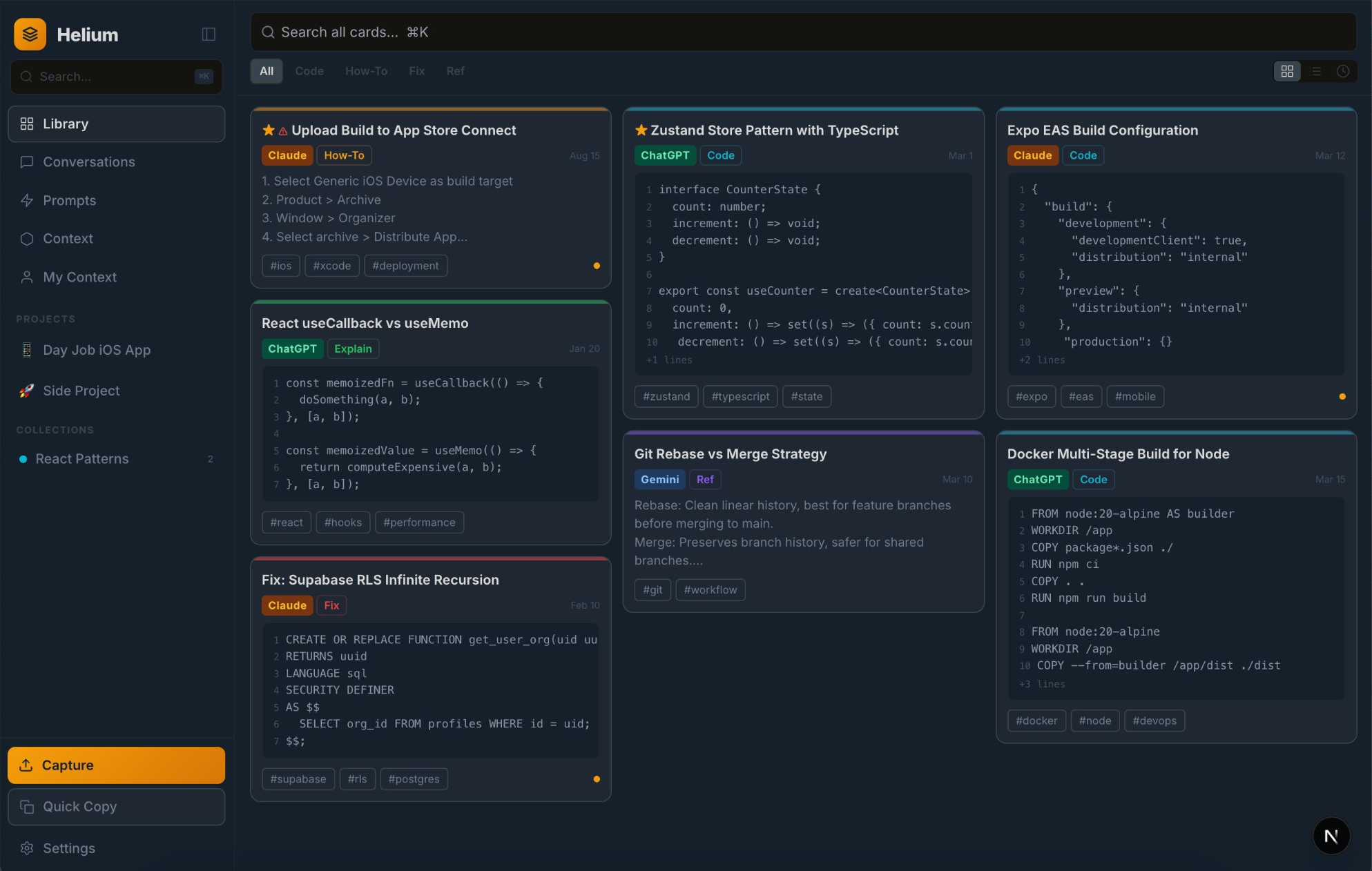
Everything you wish your AI remembered
The knowledge you extract from AI is valuable. Treat it that way.
Screenshot to searchable card in 3 seconds
Snap any AI conversation. OCR reads the text. Claude parses it into a titled, tagged, searchable card with code blocks extracted. No copy-pasting.
Stop rewriting prompts from scratch
Save the prompts that work. Add {{variables}} so they’re reusable. One-tap copy into any LLM. Track which prompts actually produce good results.
All your AI conversations, one search bar
Import full threads from ChatGPT, Claude, and Gemini. Search across every conversation you’ve ever had, regardless of which AI you used.
Fast full-text search across your entire library
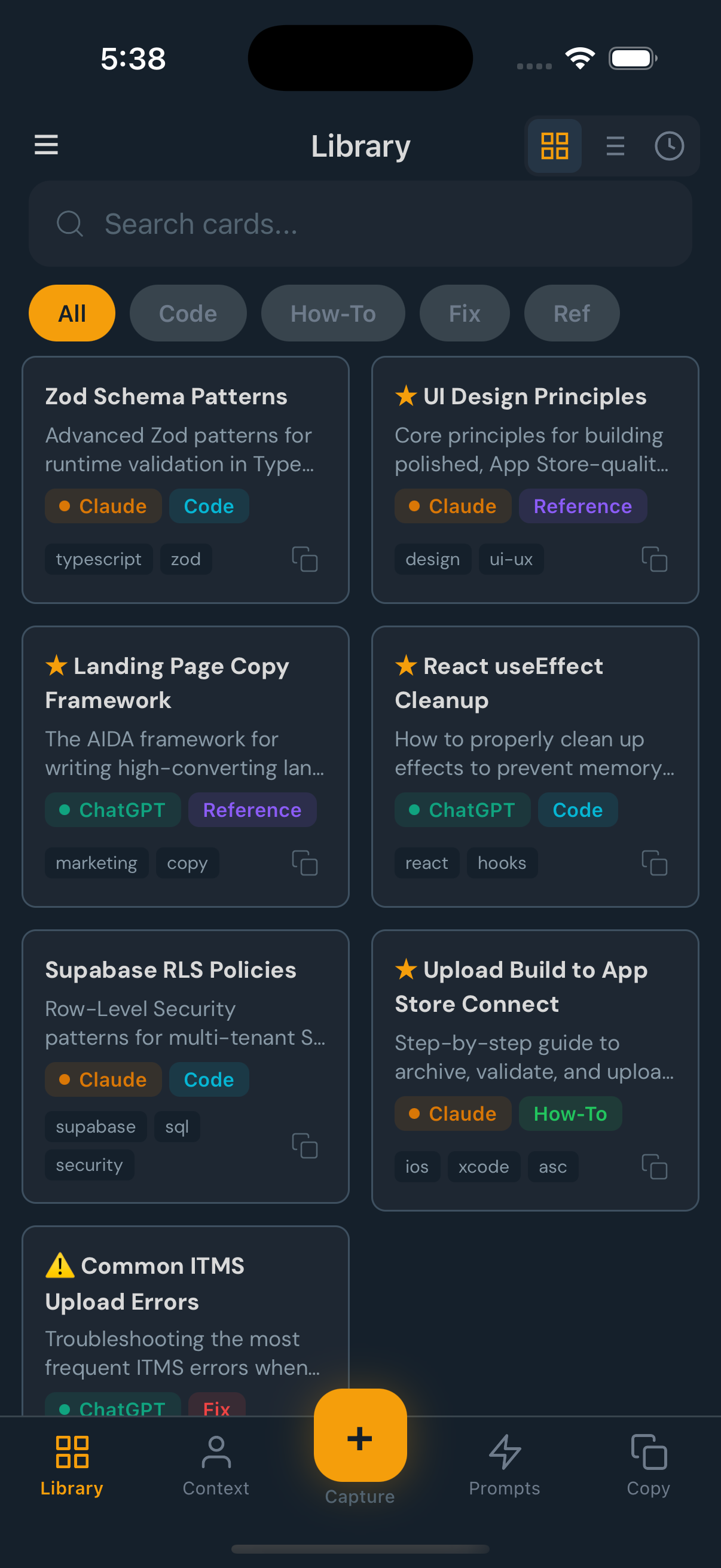
Search every saved AI response by keyword across titles, summaries, body text, and tags. Filter by tag, project, or content type. Find the card you saved last week without scrolling.
Give your next AI conversation a head start
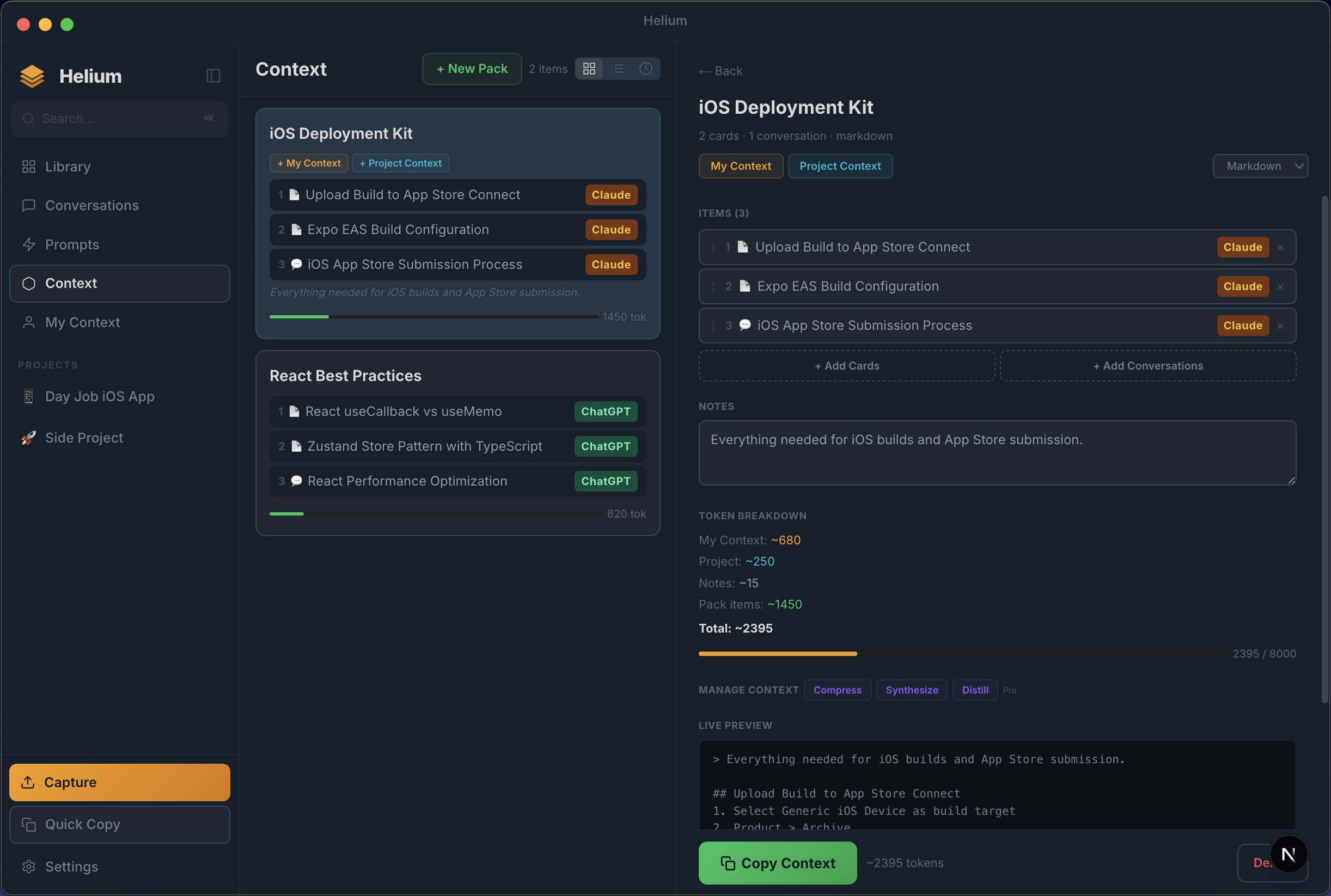
Bundle your best cards, code snippets, and past conversations into context packs. Copy the whole pack into a new AI chat. The AI starts at your level instead of starting from zero.
Never re-explain your tech stack again
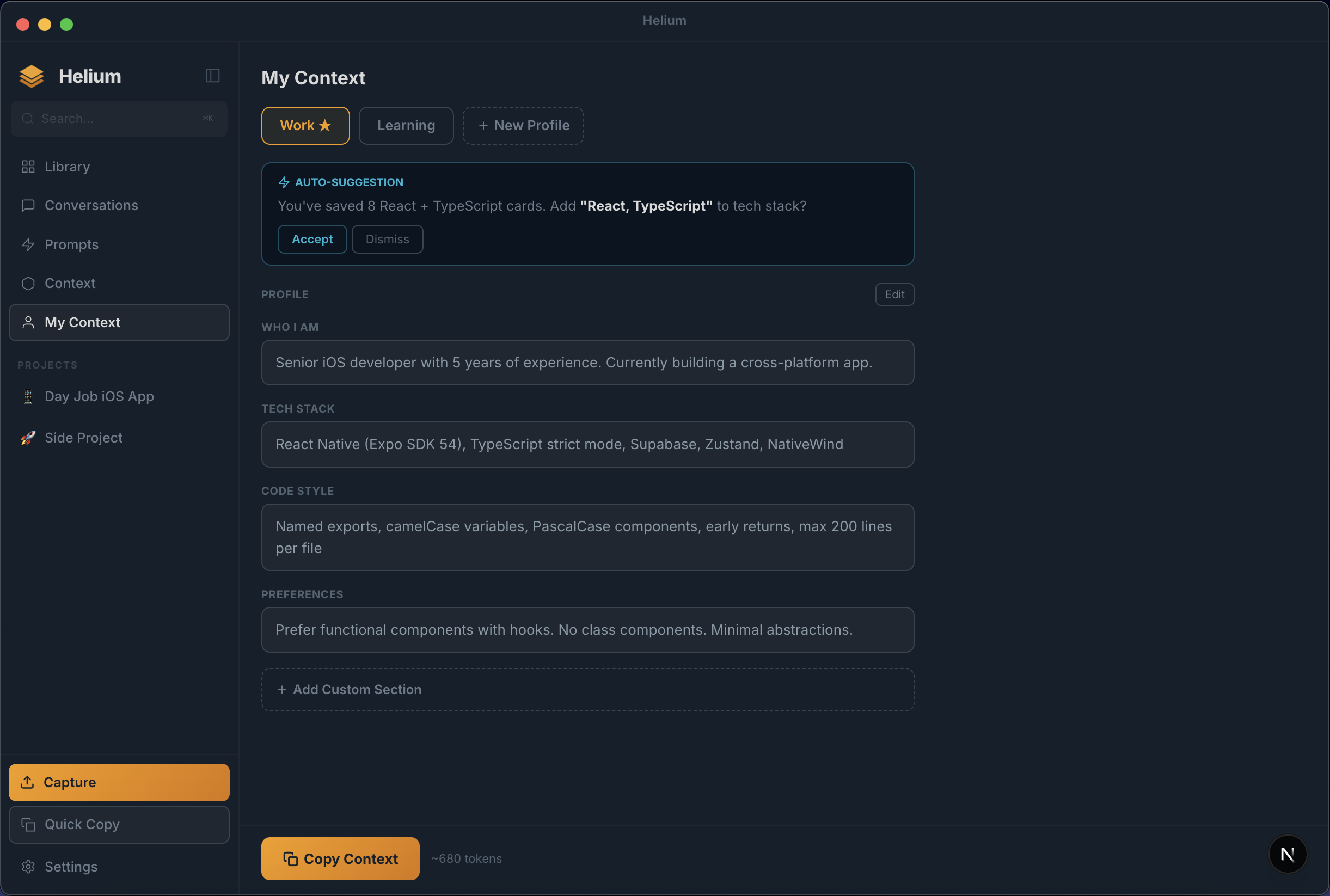
Build a personal context profile: your tech stack, coding style, project details, communication preferences. Copy it into any AI conversation with one tap. Every response is personalized from message one.
Every AI response, instantly findable
Save code snippets, how-to guides, troubleshooting fixes, and references from any LLM. Helium auto-tags everything and gives you fast full-text search across titles, summaries, body, and tags.
- ✓AI-generated titles, summaries, and tags on every capture
- ✓Source tracking across ChatGPT, Claude, and Gemini
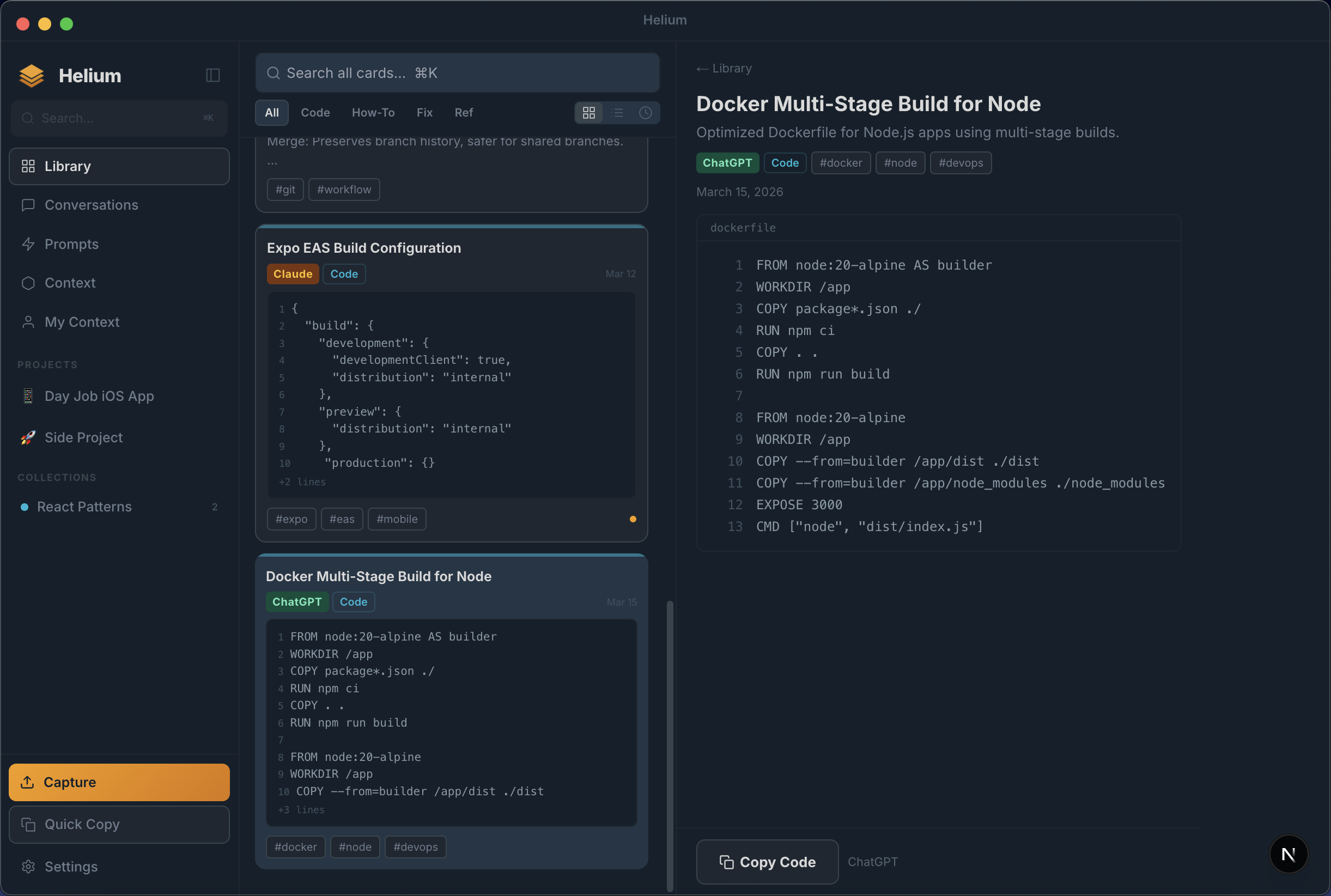
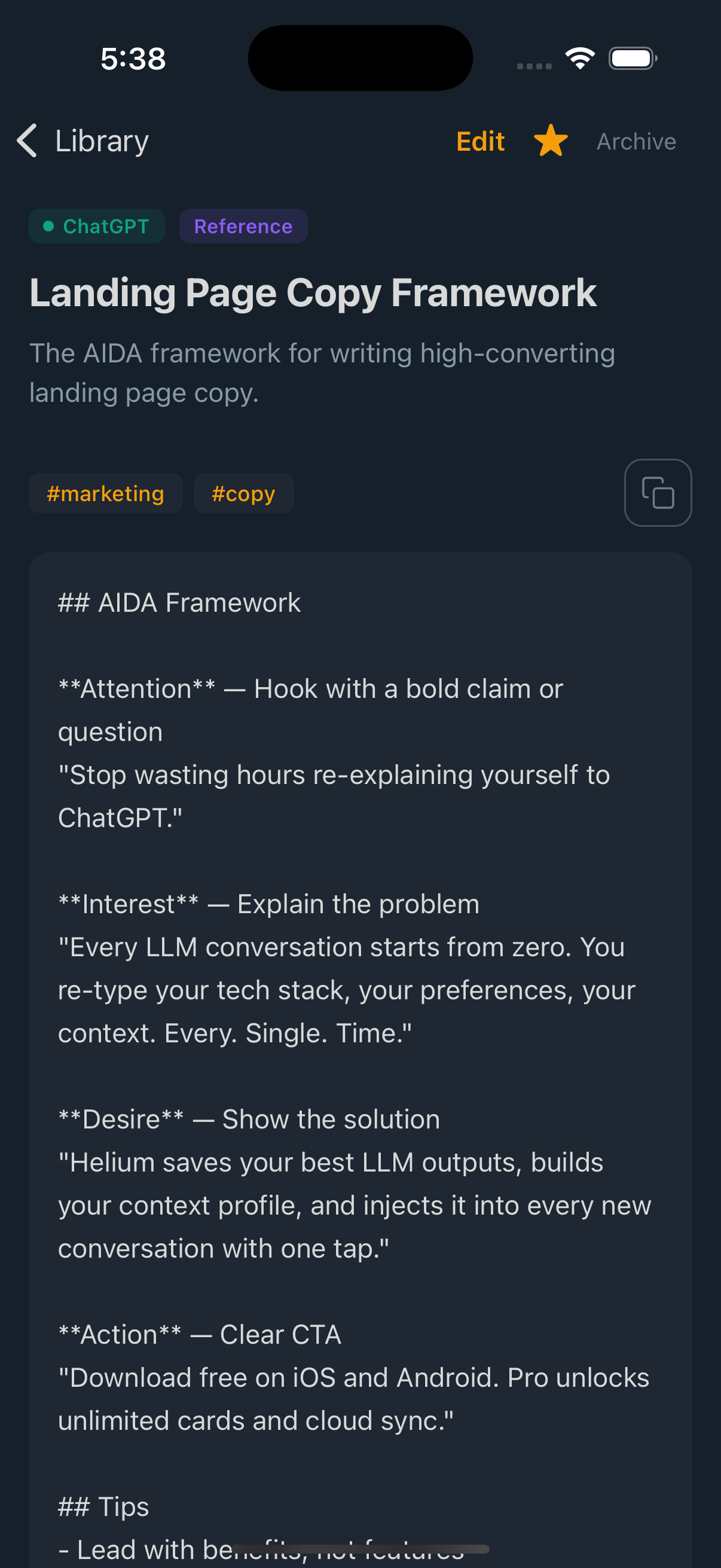
- ✓Full card detail with syntax-highlighted code and one-click copy
Stop re-explaining yourself to every AI
Build a persistent identity document with your tech stack, coding style, and preferences. Copy it into any LLM conversation with one click. Helium even auto-suggests additions based on your saved cards.
- ✓Multiple profiles (Work, Learning, side projects)
- ✓Auto-suggestions learn from your library
- ✓Token count display so you know exactly what fits
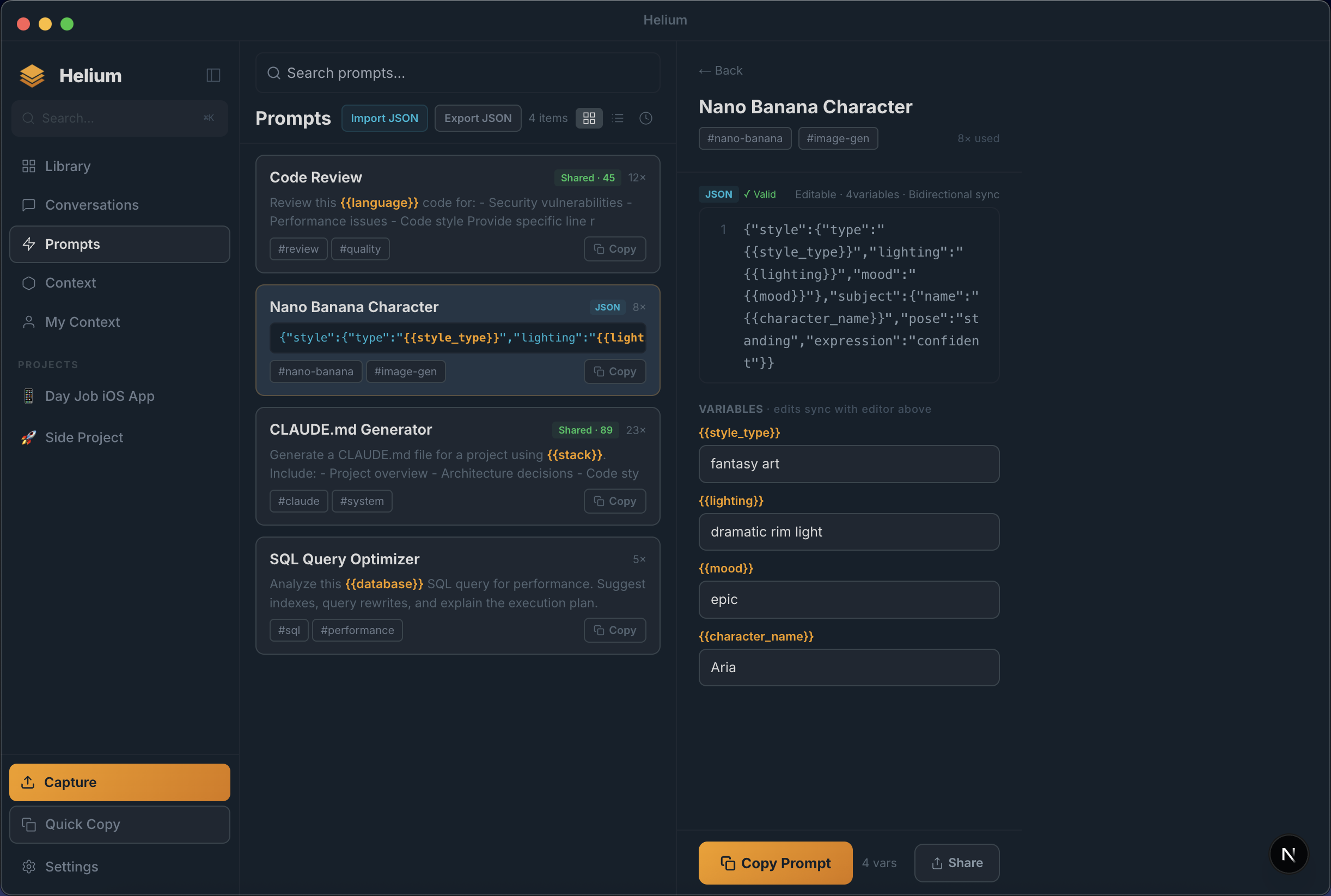
Your best prompts, ready to reuse
Save prompt templates with dynamic {{variables}} that you fill in before copying. Track usage, share with your team via public links, and support both plain text and structured JSON prompts.
- ✓Dynamic variables with fill-in-the-blank inputs
- ✓Share count and import tracking
- ✓JSON mode with validation and bidirectional sync
Your library, everywhere
Helium runs natively on iOS, Android, Mac, Windows, and Web. Your cards sync across every device.
Browse your library
View full cards
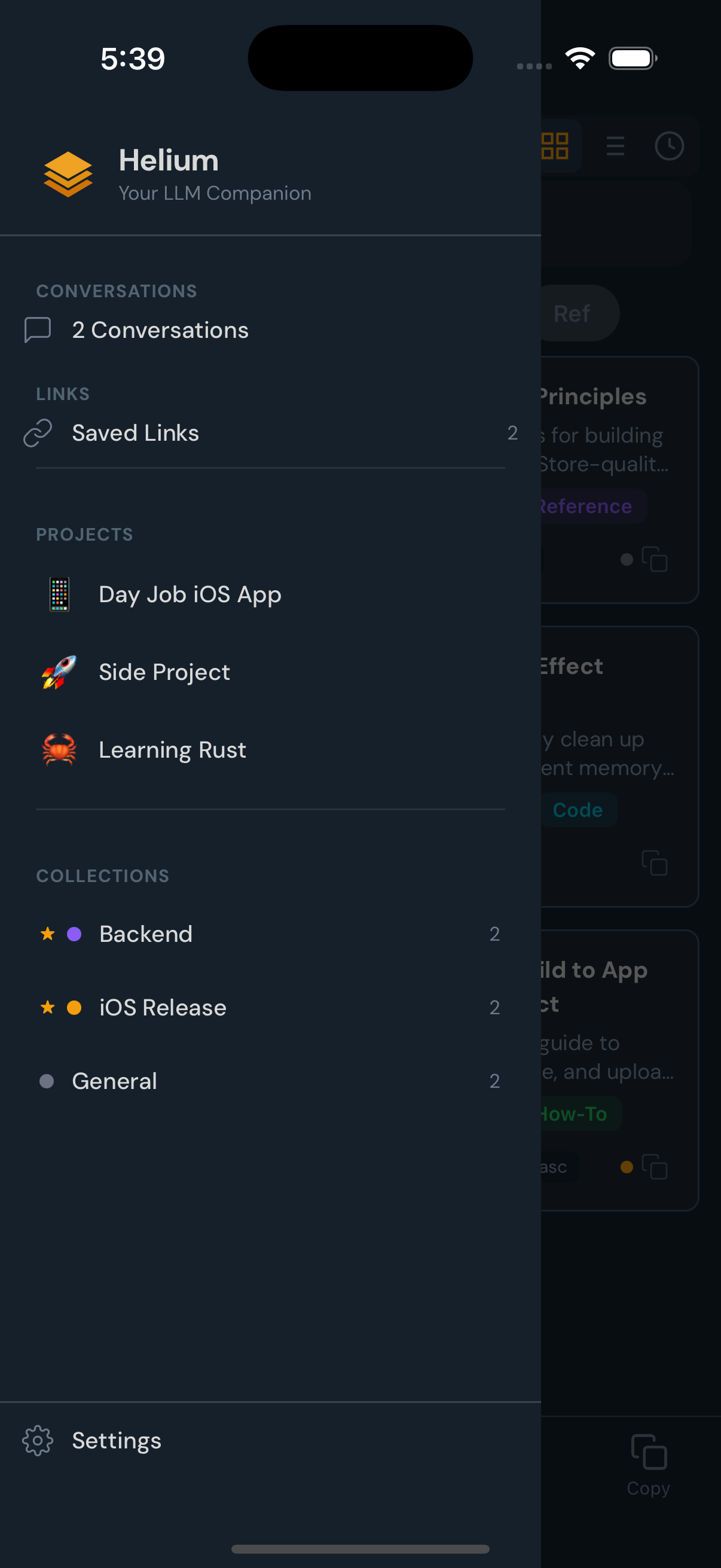
Organize by project
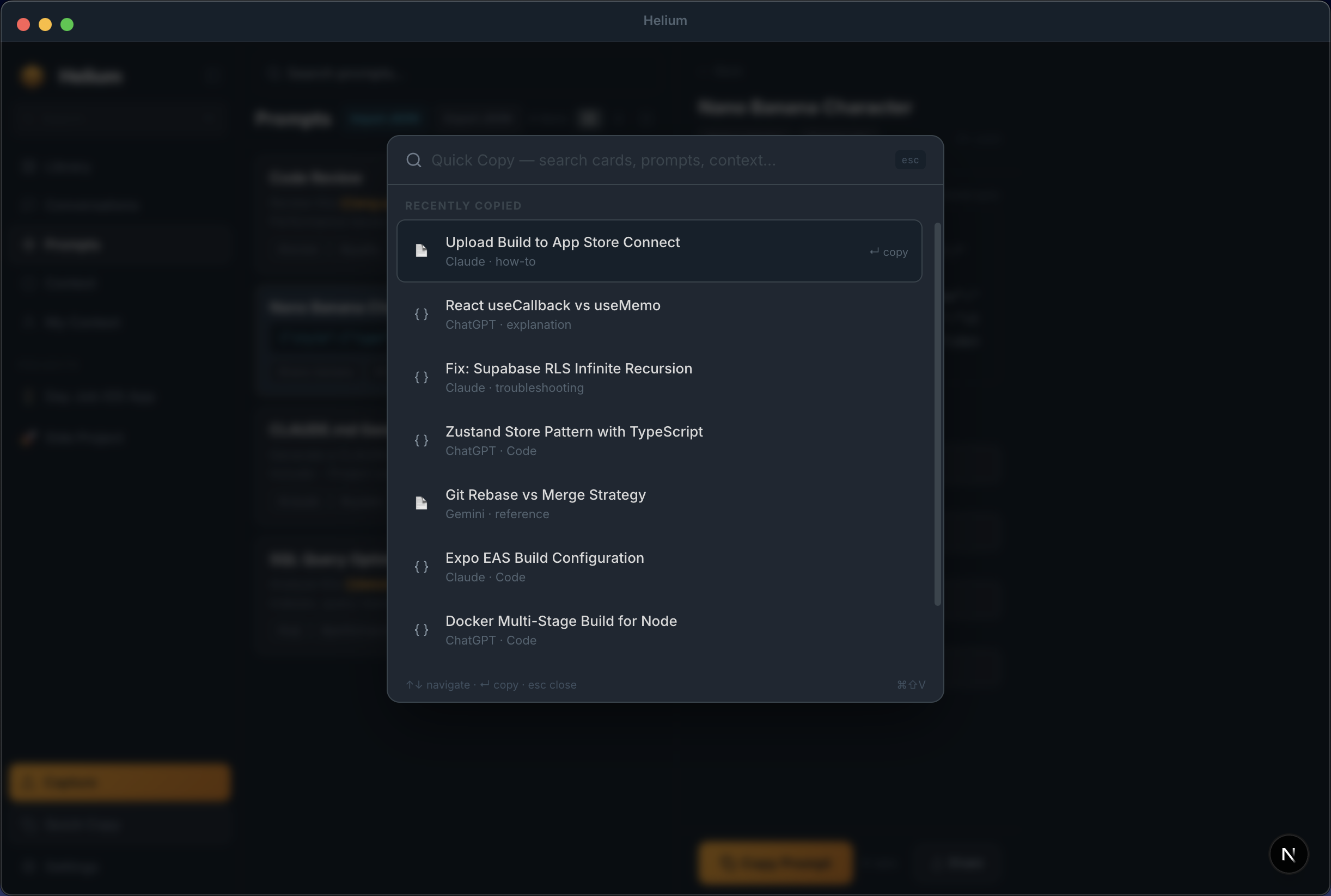
Cmd+Shift+V. Search. Paste. Done.
Quick Copy is a Spotlight-style overlay that searches your entire library. Find any card, prompt, or context pack without leaving your current app. Arrow keys to navigate, Enter to copy to clipboard.
- ✓Keyboard-first with full shortcut support
- ✓Searches cards, prompts, and context simultaneously
- ✓Shows source LLM and content type at a glance
Bundle your knowledge. Inject it anywhere.
Combine cards, conversations, and your personal context into a single copy-paste block. See the exact token count, preview the rendered markdown, and compress or synthesize when you need to fit a tight context window.
- ✓Token breakdown (My Context + Project + Pack items)
- ✓Live markdown preview of the assembled context
- ✓Compress, Synthesize, and Distill tools for token optimization

The average developer uses AI 40+ times per day.
They save less than 1% of the responses.
The other 99% disappears into chat history they'll never search.
Three steps to never lose an AI response again
Capture (2 seconds)
Screenshot it. Paste it. Or drop in a ChatGPT share link. However you capture it, Helium turns it into a searchable card.
Organize (automatic)
Claude reads your capture and adds a title, summary, tags, and extracts code blocks. You don’t lift a finger.
Resurface (anytime)
Full-text search and tag filters surface the right card in seconds. Copy it into your next AI conversation with full context.
Your AI knowledge follows you everywhere
One library that syncs across every device. Capture on your phone, search on your laptop, copy on your desktop.
Stop re-asking questions you've already answered.
Helium is free during beta. Get early access before the public launch.
Free during beta · Cross-LLM · No account required to start